What you need
| Loader | 1.20.x |
|---|---|
| Forge | 1.20.1 |
| Project kind | Mod |
|---|---|
| Minecraft versions | See the version table above |
| Loaders | Forge |
| Required libraries |
|
| Install on | Client and server (install it on both in multiplayer) |
| Difficulty | Intermediate |
| How you get the wings | Crafting, Creative only |
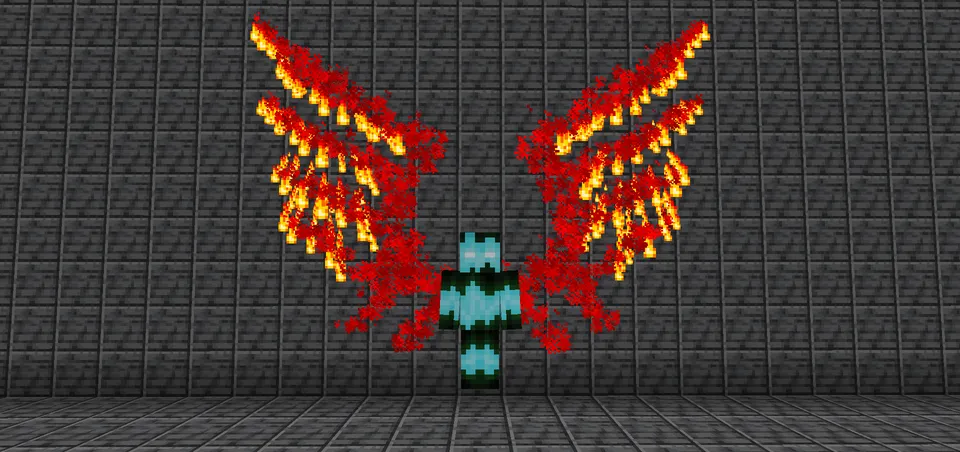
| Wing kind | Fairy & butterfly |
- Requires Minecraft 1.20.1 with the Forge mod loader.
- Requires Java 17 (standard for Minecraft 1.18 to 1.20.4).
- Requires both Curios API and GeckoLib for Forge 1.20.1.
- Must be installed on both the client and the server for multiplayer.
How to install
- Install the Forge mod loader for Minecraft 1.20.1.
- Download the matching Forge 1.20.1 versions of Curios API and GeckoLib.
- Place the Eyezo's Pixie Wings Addon .jar file, Curios API .jar, and GeckoLib .jar into your game's mods folder.
- If you are setting up a multiplayer server, put all three .jar files into the server's mods folder as well.
- Launch Minecraft once to load the files and check the in-game Mods menu to verify they are active.
Step-by-step help: How to install Forge · How to install Java mods · How to fix mods not loading.
How to get the wings
- The description does not list a crafting recipe or specific obtainment method; check the wing items in JEI, EMI, or REI (press R on the item for recipes, U for uses), or browse the Creative inventory.
- Once you have a pair of wings, open your inventory and equip them in the appropriate Curios accessory slot to display them on your back.
Compatibility
- Integrates directly with Curios API slots on Forge 1.20.1.
Questions and answers
Which Minecraft versions and mod loaders are supported?
This mod supports Minecraft 1.20.1 on the Forge mod loader.
What library mods do I need to install alongside this addon?
You must install both Curios API and GeckoLib for Forge 1.20.1.
Do I need this mod on both the client and the server?
Yes, it is required on both client and server sides.
How do I craft and equip the pixie wings?
No crafting recipe is provided in the description, so check JEI/EMI/REI in-game by pressing R on the item, or pull them from the Creative menu. Equip the item into a Curios slot in your inventory.