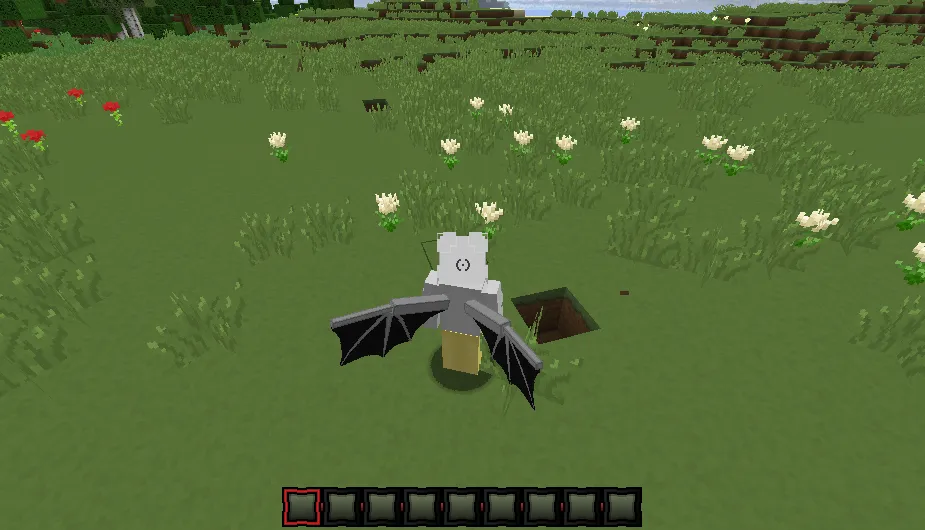
What you need
| Loader | 1.21.x |
|---|---|
| Paper | 1.21 |
| Project kind | Server plugin |
|---|---|
| Minecraft versions | See the version table above |
| Loaders | Paper |
| Required libraries | None listed |
| Install on | Server only (players do not need it) |
| Difficulty | Advanced |
| How you get the wings | Commands, Set in config |
| Wing kind | Magic |
- Requires Java 21 for Minecraft 1.21.
- Runs on Paper servers only; players do not need to install anything on their client.
- No required library plugins are listed.
- Vault is optionally used if you want players to buy wings through the menu (economy features disable automatically if Vault is not present; TokenManager is also supported as a priceType).
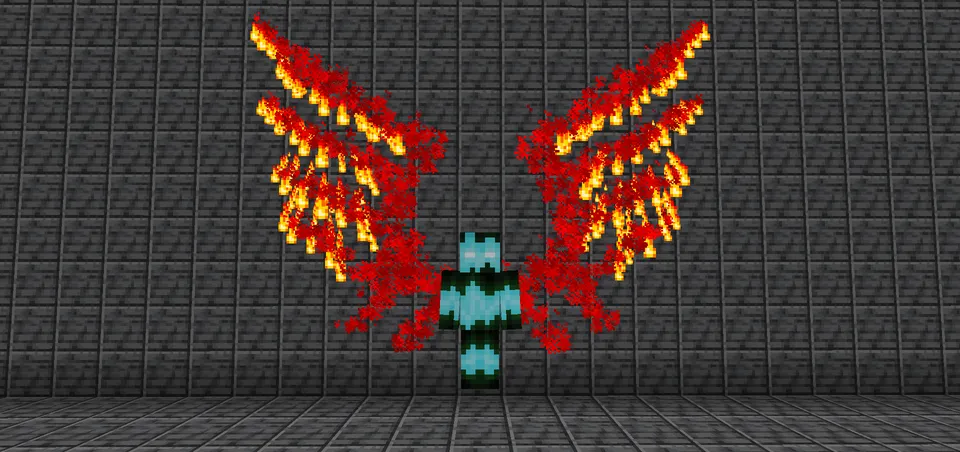
How to install
- Install a Paper server for Minecraft 1.21.
- Place the CustomWings plugin .jar file into your server's plugins folder.
- If you plan to sell wings for in-game currency, also install Vault (and an economy plugin or TokenManager) in the plugins folder.
- Start the server once to generate the configuration files and default wings folder.
- Run /customwings in-game or check the server console to verify the plugin loaded.
Step-by-step help: How to install server plugins · How to fix mods not loading.
How to get the wings
- Grant the player the base command permission customwings.command and the specific wing permission customwings.wing.WINGID (where WINGID is the wing config file name).
- Open the wing selection menu by running /customwings (or aliases /wings, /cw, /w) and click a wing to equip it.
- If Vault is installed and a price is configured on a wing, players can purchase the wing directly through the selection menu.
- Admins with customwings.setwing can assign any wing (including wings hidden from the menu) using /customwings setwing {playername} {wing ID}.
- Admins with customwings.takeawaywings can revoke a previously bought wing using /customwings takeawaywing {playername} {wing ID}.
Controls
- /customwings (/wings, /cw, /w) - Opens the wing selection GUI (permission: customwings.command).
- /customwings setwing {playername} {wing ID} - Equips a wing on a target player (permission: customwings.setwing).
- /customwings editor (/wings edit, /wings e) - Opens the in-game wing editor GUI (permission: customwings.editor).
- /customwings preview (/wings p) - Detaches your currently equipped wing so it floats in the air for viewing (permission: customwings.preview).
- /customwings reload (/wings r) - Reloads the plugin configuration (permission: customwings.reload).
- /customwings takeawaywing {playername} {wing ID} - Removes a purchased wing from a player (permission: customwings.takeawaywings).
Config
- Each wing has its own YAML file inside the plugin's wings folder; the file name acts as the wing ID.
- You can adjust wing settings live using the in-game editor (/customwings editor) or by editing the YAML files and running /customwings reload.
- If you delete a wing file or rename a wing config file, you must restart the server instead of just reloading.
- To restore the default preset wings, delete the wings folder and reload the plugin.
- Key wing options include showWhenMoving, whitelistedWorlds, economy (priceType and price), menuItem (hideInMenu, material, slot, page, lore), position offsets, timer, flapAnimation, flapSpeed, onlyOneSide, particleLayout grid, and particle definitions (type, directional speed/angle, hex color, noteColor, or blockType).
Tips
- Use /customwings preview to leave your equipped wing floating in place so you can inspect your particle layout from the front and sides.
- You only need to draw the right side of a wing in particleLayout unless onlyOneSide is set to true; the plugin mirrors the layout to the left side automatically.
- If an invalid or unsupported particle name is entered in a wing config, the plugin spawns a Barrier particle in its place.
Compatibility
- Built for Paper on Minecraft 1.21.
- Server-only plugin; compatible with unmodified vanilla clients.
- Optional integration with Vault and TokenManager for wing purchases.
Questions and answers
Do players need to install a mod on their client to see the wings?
No. CustomWings is a server-only Paper plugin that renders wings using standard Minecraft particles.
Which Minecraft versions and server software are supported?
The data lists Paper for Minecraft 1.21.
How do I give a player access to a specific wing?
Give them the permission customwings.command to open the menu and customwings.wing.WINGID (matching the wing's config file name), or run /customwings setwing {playername} {wing ID}.
Can I hide a wing from the selection GUI?
Yes. Set hideInMenu: true under menuItem in that wing's config file. It can still be equipped using /wings setwing.
Why did my wing turn into barrier icons?
If a particle name in your wing configuration is invalid or unavailable in your Minecraft version, the plugin replaces it with a Barrier particle.
How do I reset the default wings if I break the config?
Delete the wings folder inside the plugin directory and reload the plugin to regenerate the default files.