What you need
| Game versions (tagged) | 26.11, 26.10, 26.3, 26.0, 1.21.90, 1.21.94, 1.21.111, 1.21.120 - 1.21.121, 1.21.132 (tagged by the uploader) |
|---|---|
| Experimental toggles | Needed: Education Edition |
| Edits player.json | No |
| Files | Rings_Wings_V0.2.zip, Rings_Wings_V0.1.zip |
| Platforms | Android, iOS, Windows (consoles: through a Realm or a world that already has it) |
| Difficulty | Beginner |
| How you get the wings | Crafting |
| Wing kind | Demon & bat, Fairy & butterfly, Bird & feather |
- The uploader tagged versions 1.21.90, 1.21.94, 1.21.111, 1.21.120, 1.21.121, 1.21.132, 26.0, 26.3, 26.10, and 26.11; these are uploader tags and not a guarantee for every build.
- You must turn on the Minecraft Education Edition toggle in your world settings to be able to fly in Survival mode.
- Turning on Education Edition or experimental toggles disables achievements and cannot be turned off once the world is created.
- This add-on does not modify player.json and includes a fix in version 0.2 for compatibility with other flight add-ons.
How to install
Android
- Download the add-on file (noted as a .zip file; rename to .mcaddon or extract the pack folders if required by your file manager) and open it with Minecraft.
- Create a new world or edit an existing one, then add both the behavior pack and resource pack under the Add-Ons tabs.
- Go to Settings -> Game (or Cheats / Experiments) and enable the Education Edition toggle before entering the world.
iPhone and iPad
- Locate the downloaded file in the Files app and tap it so Minecraft imports the pack (rename .zip to .mcaddon first if needed).
- In your world settings, activate both the behavior pack and resource pack.
- Enable the Education Edition toggle in the world settings before loading the world for the first time.
Windows
- If the download is a .zip archive, rename it to .mcaddon or extract it, then double-click the file so Minecraft for Windows imports it.
- Open your world settings and apply both the behavior pack and resource pack.
- Turn on the Education Edition switch in the Game settings before entering the world.
Xbox, PlayStation and Switch
- Xbox, PlayStation, and Nintendo Switch cannot directly import external .zip or .mcaddon files from a browser.
- To use this add-on on a console, join a Realm, server, or multiplayer world hosted from a Windows or mobile device where the host has already installed and activated the packs and the Education Edition toggle.
Step-by-step help: How to install Bedrock add-ons.
How to get the wings
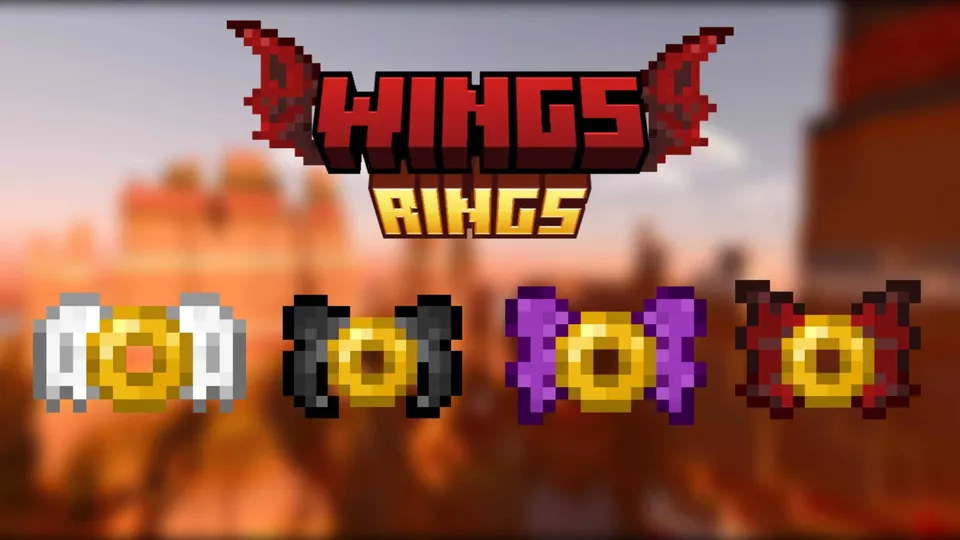
- All items in this add-on are obtained through crafting: a base Ring, Bat Wing Ring, Butterfly Wing Ring, Demon Wing Ring, and Feather Wing Ring.
- The text description lists crafting sections for each item, but the exact recipes were provided as images that are not visible in the raw text. Check the recipe book in a crafting table with recipe unlock enabled, or open the creative inventory search and type 'Ring' or 'Wing' to inspect the items.
- The Feather Wing Ring is noted as easy to craft compared to the other three rings.
Controls
- The raw text does not specify exact button presses for equipping the rings or initiating flight, though enabling the Education Edition toggle allows standard survival flight mechanics when using the rings.
- The Feather Wing Ring has a limited flight duration of approximately 2 minutes of real-time flight.
- When the Feather Wing Ring runs out of flight time, simply stop flying and wait on the ground; the flight timer will recharge automatically.
- As of version 0.2, you will not take fall damage when your Feather Wing Ring loses all of its durability/flight time.
Tips
- Start with the Feather Wing Ring early on since it is described as easy to craft, and upgrade to the Bat, Butterfly, or Demon rings when you want flight without the 2-minute recharge limit.
- If your Feather Wing Ring runs out of flight time mid-trip, land briefly and stop flying so the timer can refill before crossing large gaps.
- Use version 0.2 of the pack, as it fixes a bug where players could not fly again after losing durability and prevents fall damage when the feather wing depletes.
Compatibility
- This add-on does not use player.json, which means it will not conflict with other add-ons that modify player behavior.
- Version 0.2 includes a specific fix for flight conflicts when running alongside other add-ons that also grant flight.
Questions and answers
Why can I not fly in Survival mode with the wing rings?
You must activate the Minecraft Education Edition toggle in your world settings. Without this setting turned on, survival flight will not work.
Which wing types are included in this add-on?
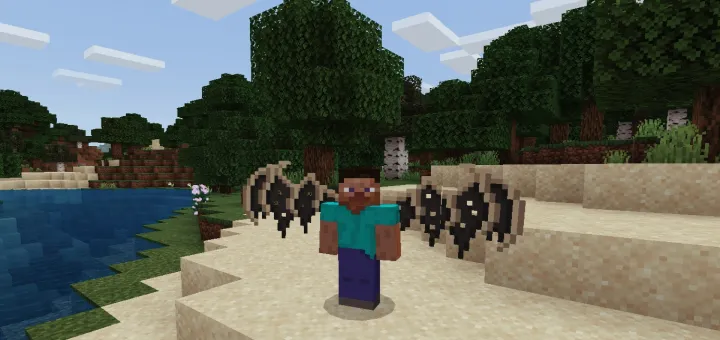
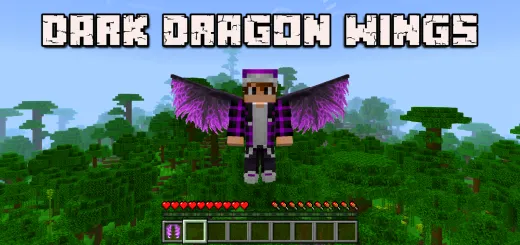
There are four wing rings: Bat Wing Ring, Butterfly Wing Ring, Demon Wing Ring, and Feather Wing Ring. All four feature a flapping animation.
How does the Feather Wing Ring differ from the other three wings?
While easy to craft, the Feather Wing Ring has a limited flight time of about 2 minutes. To recharge it, stop flying and wait for the timer to load back up.
Will I die from fall damage if my Feather Wing Ring runs out of time in the air?
No. Version 0.2 removed fall damage when the Feather Wing Ring loses all of its durability and fixed an issue that prevented flying again afterward.
Does this add-on conflict with other packs?
No. It does not edit player.json, and version 0.2 resolved flight incompatibilities with other flight-related add-ons.