What you need
| Game versions (tagged) | 1.16.100 (tagged by the uploader) |
|---|---|
| Experimental toggles | Needed: Legacy Experimental Gameplay |
| Edits player.json | Not stated |
| Files | dragon_wing_addon.mcaddon |
| Platforms | Android, iOS, Windows (consoles: through a Realm or a world that already has it) |
| Difficulty | Beginner |
| How you get the wings | Crafting, Creative only |
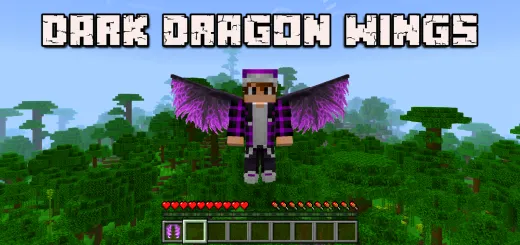
| Wing kind | Dragon |
- The uploader tagged this add-on for Minecraft Bedrock version 1.16.100 (specifically noting 1.16.100.57+ Beta); compatibility with newer versions is not guaranteed.
- You must turn on the Experimental Gameplay toggle in your world settings before playing.
- The description does not state whether the pack edits player.json, so test it carefully if you combine it with other behavior packs.



How to install
Turn on the experimental toggle Legacy Experimental Gameplay before you first enter the world (Edit world → Game → Experiments). Experiments cannot be turned off again for that world and they disable achievements, so use a copy of your world.
Android
- Locate the downloaded dragon_wing_addon.mcaddon file using your file manager and tap it to open it with Minecraft.
- Wait for the game to import the pack.
- Create a new world or edit an existing one, and activate both the behavior pack and resource pack in the Add-Ons menu.
- Go to Settings -> Game -> Experiments and turn on the Experimental Gameplay toggle before loading the world (this disables achievements and cannot be turned off later).
iPhone and iPad
- Open the Files app and tap on dragon_wing_addon.mcaddon to launch and import it into Minecraft.
- Open your world settings and enable both the resource pack and behavior pack under the Add-Ons tabs.
- Under Settings -> Game -> Experiments, enable the Experimental Gameplay switch before entering the world for the first time.
Windows
- Double-click the dragon_wing_addon.mcaddon file so Minecraft for Windows imports it automatically.
- In your world settings, apply both the resource pack and behavior pack.
- Open Settings -> Game -> Experiments and enable the Experimental Gameplay option prior to starting the world (note that this turns off achievements permanently for that world).
Xbox, PlayStation and Switch
- Xbox, PlayStation, and Nintendo Switch do not support importing .mcaddon files directly.
- To use this add-on on a console, join a Realm, server, or multiplayer world hosted on a mobile or Windows device that already has the pack installed and experimental toggles enabled.
Step-by-step help: How to install Bedrock add-ons.
How to get the wings
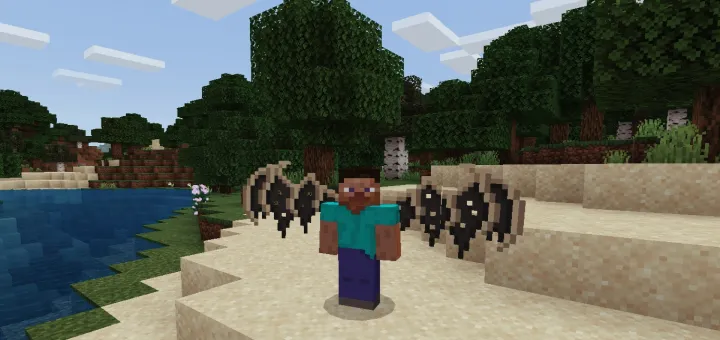
- In Creative mode, open your inventory and look inside the Weapon section to find the wing.
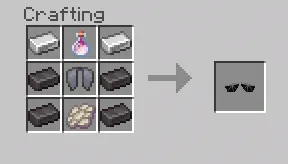
- In Survival mode, the wing is craftable using rare materials. However, the text description does not list the exact crafting recipe; check your in-game recipe book with experimental features enabled or obtain it from the creative inventory.
Controls
- The provided text states that the wing allows you to fly up and down infinitely without fireworks, but it omits the specific control buttons.
- Equip or hold the wing item in-game and test standard jump, sneak, or interact inputs, or look up and down while moving to control your altitude.
Tips
- Because the wing provides built-in infinite propulsion, you do not need to carry firework rockets.
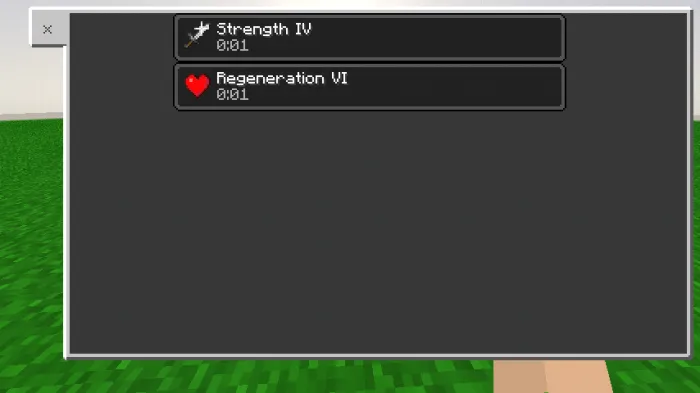
- Take advantage of the passive Strength, Regeneration, and Explosion Protection effects when fighting mobs like Creepers.
Compatibility
- Built for an older 1.16.100 beta build using legacy experimental features, so scripts or behaviors may not function as intended on modern Bedrock updates.
- Avoid stacking this pack with other custom flight or wing add-ons to prevent control conflicts.
Questions and answers
Do I need firework rockets to fly with the Dragon Wing?
No. The wing provides infinite upward and downward flight without requiring fireworks or any other consumables.
Where can I find the Dragon Wing in Creative mode?
Open the Creative inventory and check the Weapon section.
What is the crafting recipe for Survival mode?
The uploader mentions that it uses hard-to-get materials, but the exact recipe is missing from the text description. Look in the in-game crafting table recipe book after activating the pack.
What extra abilities does the wing give?
It grants Strength, Regeneration, and Explosion Protection.
Does this add-on require Experimental Gameplay?
Yes. You must turn on the Experimental Gameplay toggle in your world settings before loading the world.