What you need
| Game versions (tagged) | 1.21.30 (tagged by the uploader) |
|---|---|
| Experimental toggles | Needed: Holiday Creator Features |
| Edits player.json | Not stated |
| Files | Asas_Wings.mcaddon |
| Platforms | Android, iOS, Windows (consoles: through a Realm or a world that already has it) |
| Difficulty | Beginner |
| Wing kind | Bird & feather |
- The uploader tagged this add-on for Minecraft Bedrock version 1.21.30 and notes support for 1.21.+ in the changelog; tagged versions are what the uploader listed and not a guarantee for all game updates.
- The installation notes state that you must activate the Holiday Creator Features experimental toggle.
- Enabling experimental toggles disables achievements for that world and cannot be turned off after the world is created.
- Whether this pack edits player.json is not stated in the description, so test it carefully if you combine it with other add-ons that alter player animations or abilities.

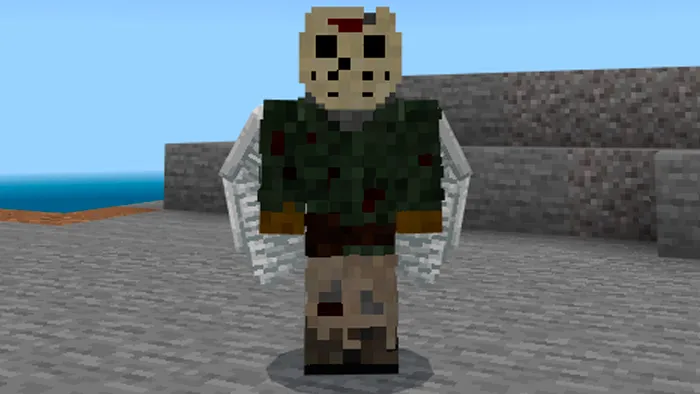
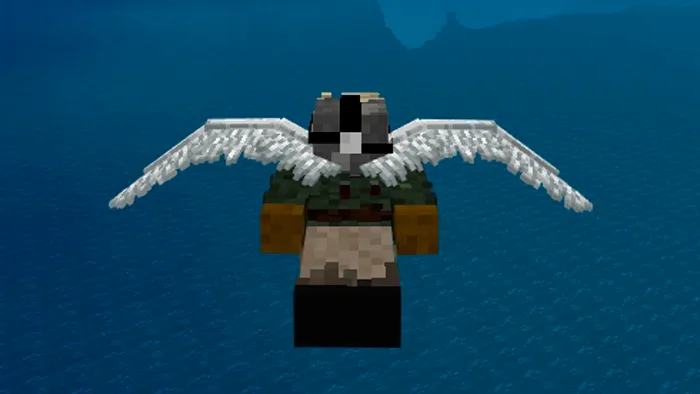
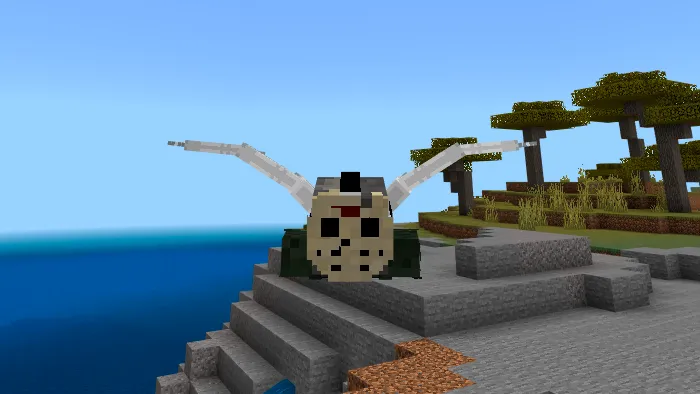
How to install
Turn on the experimental toggle Holiday Creator Features before you first enter the world (Edit world → Game → Experiments). Experiments cannot be turned off again for that world and they disable achievements, so use a copy of your world.
Android
- Locate the downloaded Asas_Wings.mcaddon file using your file manager.
- Tap the file and choose to open it with Minecraft so the game imports the pack.
- Create a new world or edit an existing one, apply both the resource pack and behavior pack in the world settings, and turn on the Holiday Creator Features toggle under Settings -> Game -> Experiments before loading the world.
iPhone and iPad
- Open the Files app and find the Asas_Wings.mcaddon file.
- Tap the file to share or open it directly in Minecraft, which will start the import process.
- In your world settings, activate both the behavior and resource packs, and enable Holiday Creator Features under Settings -> Game -> Experiments prior to entering the world.
Windows
- Double-click the Asas_Wings.mcaddon file to launch Minecraft for Windows and import the add-on automatically.
- Open your world settings and enable both the resource and behavior packs.
- Go to Settings -> Game -> Experiments and turn on Holiday Creator Features before entering the world for the first time.
Xbox, PlayStation and Switch
- Xbox, PlayStation, and Nintendo Switch do not support importing .mcaddon files directly from a file browser.
- To use this add-on on a console, join a Realm, server, or multiplayer world hosted by a PC or mobile player who has already installed and activated the pack on that world.
Step-by-step help: How to install Bedrock add-ons.
How to get the wings
- There is no crafting recipe for the wings.
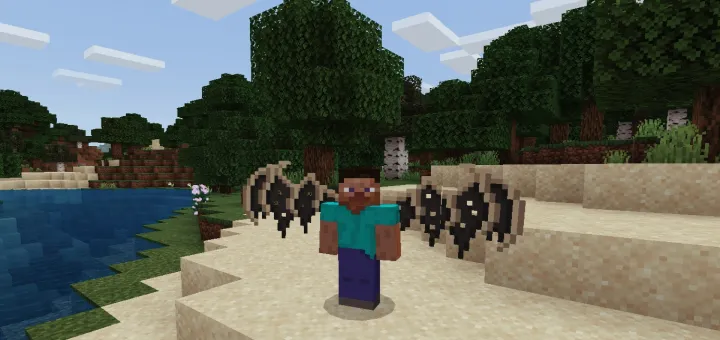
- You receive the wings automatically as soon as you enter your Minecraft Bedrock world.
- If you lose the item or play in creative mode, the description does not provide an item ID or command, so search the creative inventory for 'wing'.
Controls
- Press the jump button twice to activate flight.
- Look in the direction you want to travel and press your forward walk button to move through the air.
- Press the crouch (sneak) button to stop flying and land.
Tips
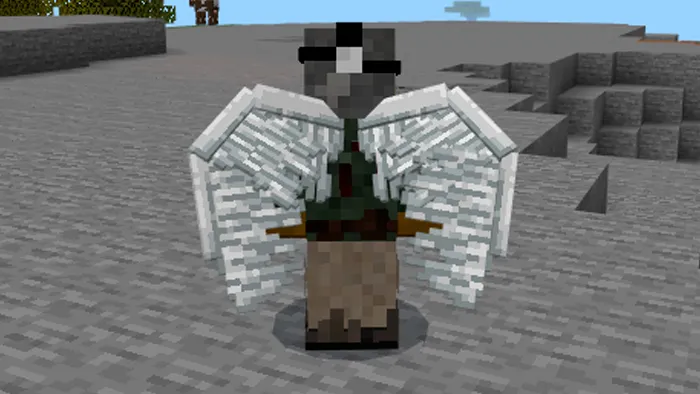
- Recent updates fixed bugs where the wings appeared invisible or disappeared unexpectedly when equipped.
- Wait until you are close to the ground before pressing the crouch button so you deactivate flight safely.
- note that the uploader's generic install template mentions activating a pack named 'Beyond's 3D Weapon', which appears to be a copy-paste error; look for the wing add-on from Asas_Wings.mcaddon in your pack list instead.
Compatibility
- Designed for Minecraft Bedrock 1.21.30 and 1.21.+ according to the uploader's tags and changelog.
- Because this add-on automatically gives wings upon world entry and renders wings on the player model, it may conflict with other wing, elytra, or player-animation add-ons.
Questions and answers
How do I craft the wings?
There is no crafting recipe. You receive the wings automatically when you load into your world.
How do I start and stop flying?
Double-tap the jump button to take off, and press the crouch button when you want to deactivate flight.
How do I steer while in the air?
Point your camera in the direction you want to go and hold the walk button.
Do I need to turn on experimental settings?
Yes. The installation notes instruct you to enable the Holiday Creator Features experimental toggle before entering your world.
What if my wings turn invisible or do not fly?
Make sure you are using the latest update on Minecraft 1.21.+, as the changelog notes that bugs causing invisible or non-flying wings were fixed, and verify that both the behavior and resource packs are active.