What you need
| Game versions (tagged) | 1.16, 1.16.201, 1.14 (tagged by the uploader) |
|---|---|
| Experimental toggles | Not needed |
| Edits player.json | No |
| Files | Download Ender Dragon Wings Pack |
| Platforms | Android, iOS, Windows (consoles: through a Realm or a world that already has it) |
| Difficulty | Beginner |
| How you get the wings | Set in config |
| Wing kind | Dragon, Elytra |
- The uploader tagged this pack for game versions 1.14, 1.16, and 1.16.201; these represent the tagged versions at the time of release and are not a guarantee of compatibility with newer updates.
- This is a standalone resource pack and does not include or require a behavior pack.
- No experimental toggles are required because it only changes visuals and names.
- Because it replaces the default elytra model and texture, it will conflict with other resource packs that modify the elytra if both are active at the same time.

How to install
Android
- Download the pack file and open the .mcpack (or .mcaddon) with Minecraft, or import it using a file manager.
- Open Minecraft and go to Global Resources in Settings, or edit a specific world or Realm.
- Activate the resource pack under the Resource Packs tab. No behavior pack or experimental toggles are needed for this pack.
iPhone and iPad
- Open the Files app, locate the downloaded pack file, and tap it so Minecraft imports it automatically.
- In Minecraft, navigate to Global Resources in Settings, or open the settings for your chosen world or Realm.
- Enable the resource pack in the Resource Packs section. There is no behavior pack to attach.
Windows
- Double-click the downloaded .mcpack or .mcaddon file so Minecraft for Windows imports it.
- Go to Settings -> Global Resources, or open the edit menu for a specific world or Realm.
- Activate the resource pack. Normally you would add both resource and behavior packs if an add-on has both, as well as enable required experiments before entering the world, but this download only uses a resource pack.
Xbox, PlayStation and Switch
- Xbox, PlayStation, and Nintendo Switch cannot import custom pack files directly from a browser or file manager.
- To use these wings on a console, join a Realm, server, or multiplayer world where the host on mobile or Windows has already applied the resource pack to the world settings.
Step-by-step help: How to install Bedrock add-ons.
How to get the wings
- The pack directly replaces the standard vanilla elytra rather than adding a separate custom item.
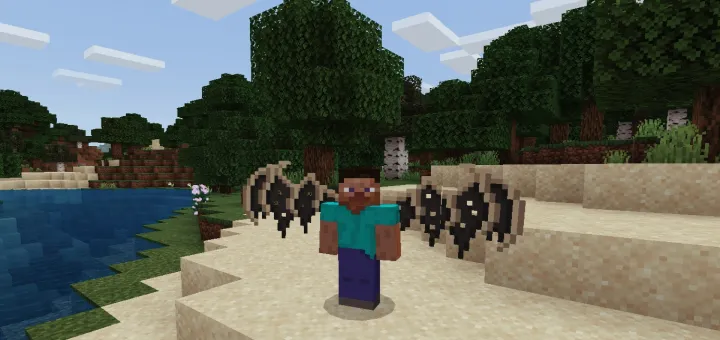
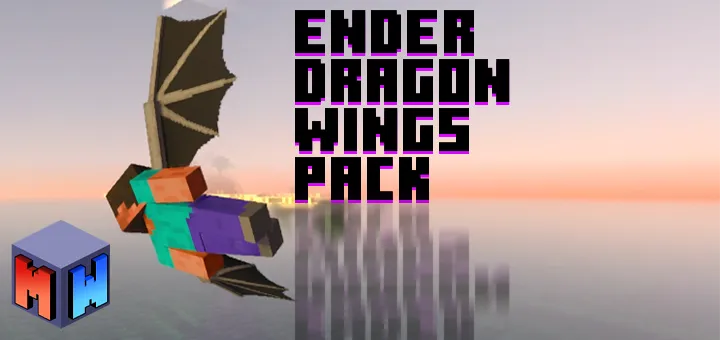
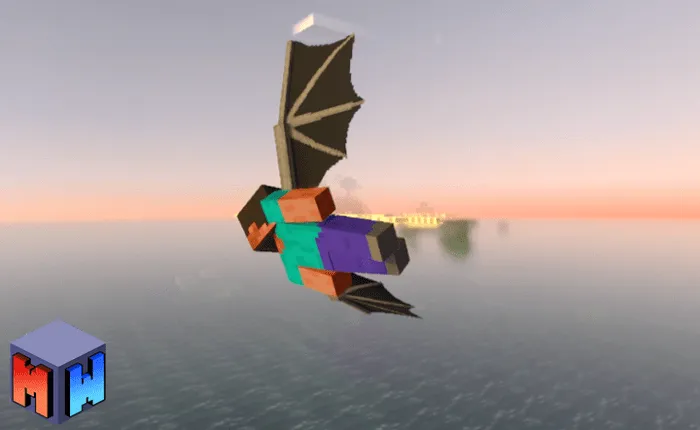
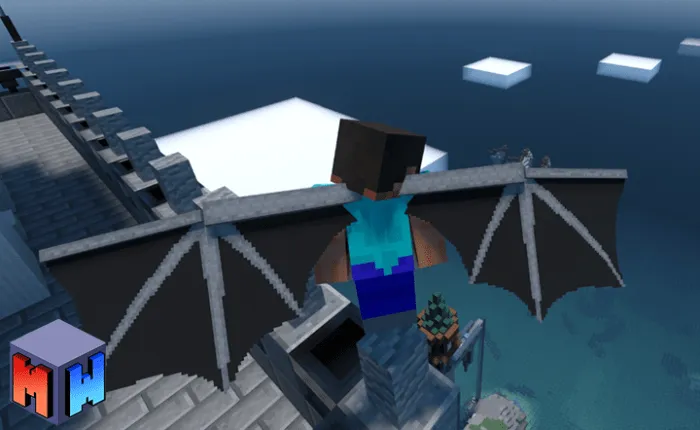
- Acquire an elytra through normal gameplay, Creative mode inventory, or commands; once the resource pack is active, it will display as 'ender dragon wings' and use the new dragon wing model.
Controls
- Equip the wings in your chestplate slot just like a standard elytra.
- Use normal vanilla elytra flight controls to glide. The wings will automatically play opening, closing, and flapping animations while you are midair.
Tips
- You can apply this pack in Global Resources if you want to see the dragon wings on multiplayer servers or worlds where you do not control the world settings.
- Be aware of a known visual bug: the wing animations do not display properly while your character is swimming underwater or sleeping in a bed.
Compatibility
- Since this pack does not use a behavior pack or edit player.json, it is safe to use alongside gameplay add-ons.
- Place this pack above other texture packs in your load order so its elytra model and texture take priority.
Questions and answers
Does this pack require a behavior pack or experimental toggles?
No. The install notes confirm that only a resource pack is used, so you do not need to enable a behavior pack or turn on any experimental switches.
How do I find the wings in my inventory?
Look for the vanilla elytra. When the pack is active, the elytra item is renamed to 'ender dragon wings'.
Do the wings flap while flying?
Yes. The custom model includes opening, closing, and midair flapping animations.
Why do the wings look strange when I sleep or swim?
The creator noted a known bug where the elytra animations do not work properly while the player is sleeping or swimming underwater.