What you need
| Game versions (tagged) | 1.16 (tagged by the uploader) |
|---|---|
| Experimental toggles | Not stated |
| Edits player.json | Not stated |
| Files | DropWingsAddOnv1.0_MCPE_FILE_VERIFICATION.mcpack |
| Platforms | Android, iOS, Windows (consoles: through a Realm or a world that already has it) |
| Difficulty | Beginner |
| How you get the wings | Crafting |
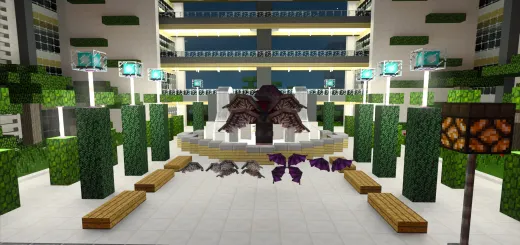
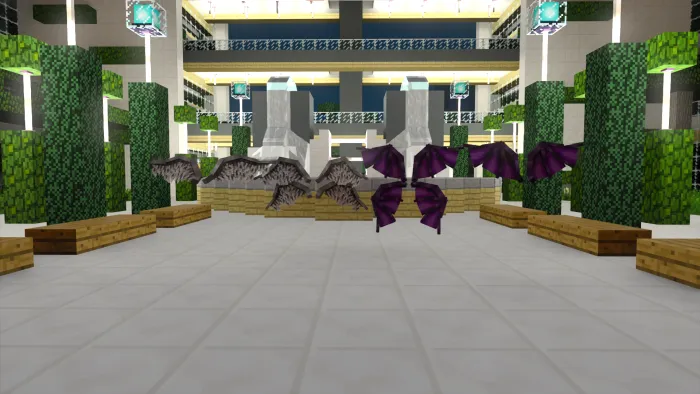
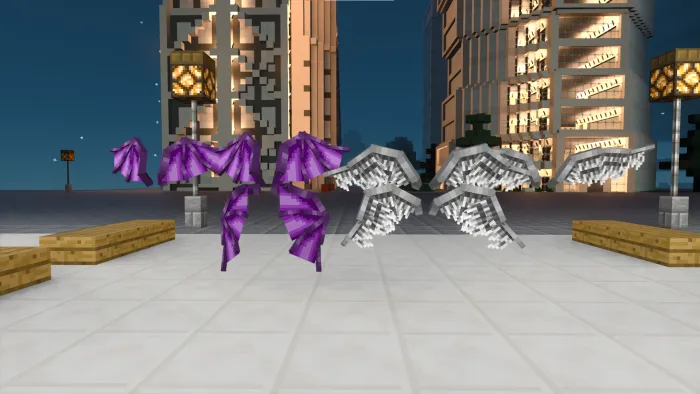
| Wing kind | Angel, Demon & bat |
- Tagged for Minecraft Bedrock 1.16, with changelog notes stating support for version 1.20.70 (tagged versions are what the uploader listed, not a guarantee for every subversion).
- The pack includes both a Behavior Pack and a Resource Pack that must be activated together.
- The description does not state whether experimental toggles are required; if crafting recipes do not appear in your world, try enabling experimental features on a backup copy of the world.
How to install
Android
- Locate the downloaded .mcpack or .mcaddon file using a file manager app (if it came as a .zip containing separate compressed behavior and resource folders, extract them first).
- Tap the pack file and choose Minecraft to import it.
- Open Minecraft, edit your world settings, and activate both the Resource Pack and the Behavior Pack.
iPhone and iPad
- Open the Files app and find your downloaded pack file (extract if packaged inside a .zip archive).
- Tap the file and share or open it with Minecraft to start the import.
- In your world settings, enable both the Behavior Pack and the Resource Pack before entering the world.
Windows
- Double-click the .mcpack or .mcaddon file so Minecraft for Windows imports it automatically.
- If you downloaded a .zip archive instead, extract the inner compressed Behavior Pack and Resource Pack folders into your com.mojang/behavior_packs and com.mojang/resource_packs directories.
- Open your world settings and activate both the Behavior Pack and Resource Pack.
Xbox, PlayStation and Switch
- Xbox, PlayStation, and Nintendo Switch do not allow direct file importing from a browser or file manager.
- To use this add-on on a console, join a Realm, server, or multiplayer world hosted from a mobile or Windows device that already has both packs active.
Step-by-step help: How to install Bedrock add-ons.
How to get the wings
- All five wing variants (Angel, Double Angel, Demon, Double Demon, and Fallen Angel) can be crafted in a survival world.
- The text description mentions a crafting list but does not show the exact ingredient shapes; check your crafting table recipe book in survival mode, or open the creative inventory search and type 'wing' to inspect the items.
Controls
- These wings are strictly decorative and do not provide flight or gliding abilities.
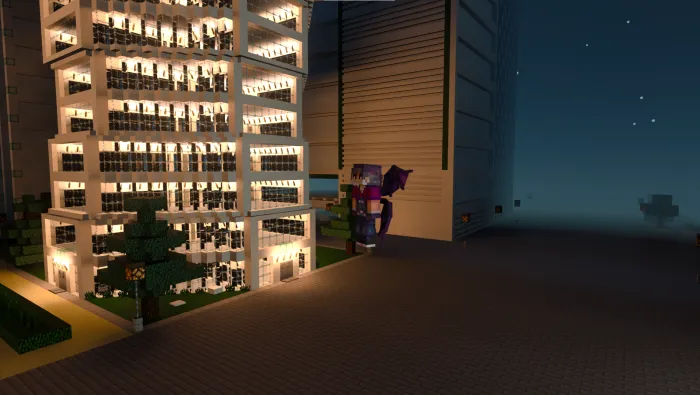
- Once equipped, the wings display idle movement animations automatically as your character moves.
Tips
- Because the wings do not allow you to fly, they will not prevent fall damage.
- If wing models appear invisible or untextured, verify that the Resource Pack is active alongside the Behavior Pack in your world settings.
Compatibility
- The source text does not state whether player.json is modified, so test carefully before combining this pack with other character animation or cosmetic add-ons.
- Using behavior packs in a survival world disables Xbox/PlayStation achievements for that world.
Questions and answers
Can I fly with the DropWings add-on?
No. The wings are currently only decorative with movement animations and do not give flight abilities.
Which wing styles are included?
There are five styles: Angel, Double Angel, Demon, Double Demon, and Fallen Angel.
Can I obtain the wings in survival mode?
Yes, all five wing types are craftable in survival mode, and the changelog confirms crafting works on version 1.20.70.
Where are the crafting recipes?
The written description does not list the ingredient patterns. Check the in-game recipe book at a crafting table or search the creative inventory to view the items.