What you need
| Game versions (tagged) | 1.14 (tagged by the uploader) |
|---|---|
| Experimental toggles | Not needed |
| Edits player.json | No |
| Files | Wings_On_Armor.mcpack |
| Platforms | Android, iOS, Windows (consoles: through a Realm or a world that already has it) |
| Difficulty | Beginner |
| How you get the wings | Crafting, Loot chests, Mob drops, Creative only, Trading |
| Wing kind | Angel, Bird & feather |
- The uploader tagged this pack for Minecraft Bedrock version 1.14; compatibility with newer versions is not guaranteed.
- This package is delivered as a single .mcpack resource file and does not require experimental toggles.
- Because it modifies vanilla armor geometry and textures, it will conflict with other resource packs that alter armor models or textures.
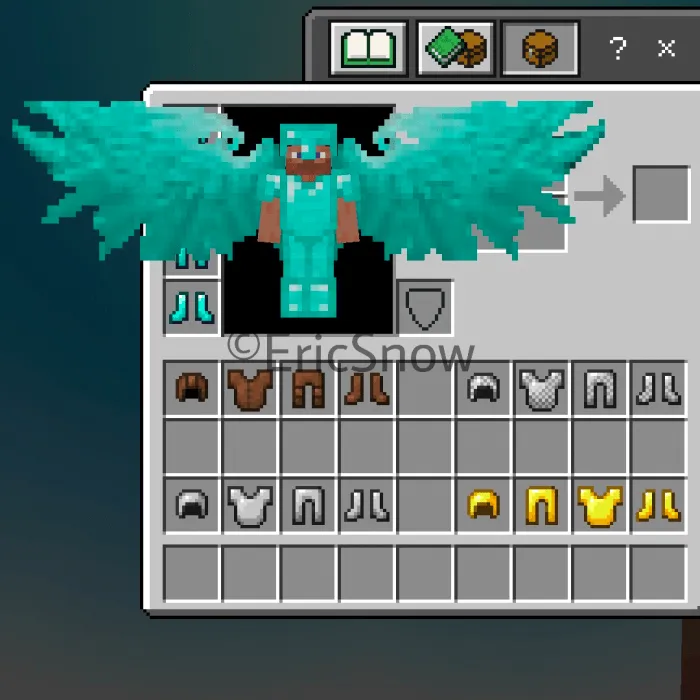
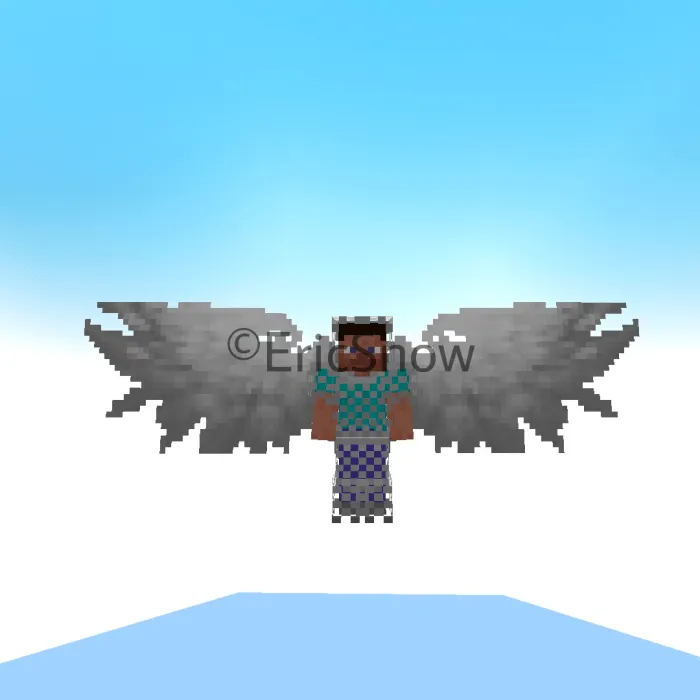
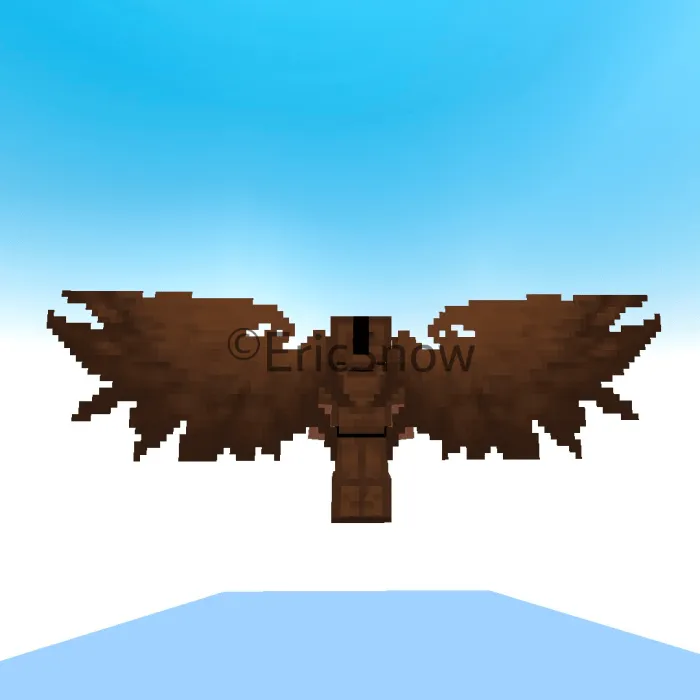
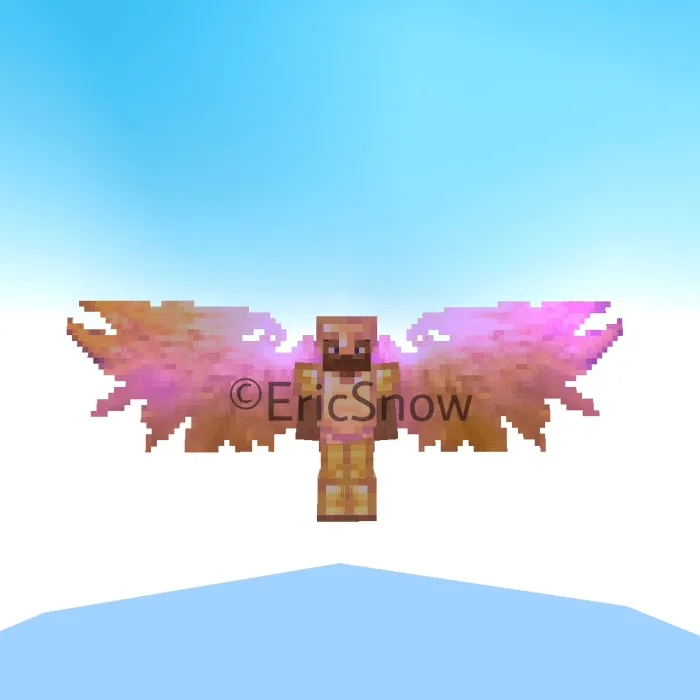
How to install
Android
- Locate the downloaded Wings_On_Armor.mcpack file using your file manager and tap it to open it with Minecraft.
- Wait for the game to finish importing the resource pack.
- Open your world settings (or Global Resources), go to Resource Packs, and activate the pack. If your download includes both a behavior pack and a resource pack, activate both, though this add-on only uses a single .mcpack file.
iPhone and iPad
- Open the Files app and tap on the Wings_On_Armor.mcpack file.
- Select Minecraft from the share or open-in menu to import the pack.
- Go to your world settings or Global Resources, select Resource Packs, and activate the pack.
Windows
- Double-click the downloaded Wings_On_Armor.mcpack file to launch Minecraft for Windows and start the import automatically.
- Once the import notification finishes, edit your world settings or open Global Resources.
- Navigate to the Resource Packs tab and activate the pack.
Xbox, PlayStation and Switch
- Xbox, PlayStation, and Nintendo Switch do not support importing .mcpack files directly from a browser or file manager.
- To use this pack on a console, join a Realm, server, or multiplayer world hosted by a PC or mobile player who has already activated the pack and enabled required resource download.
- Official Marketplace content is the only direct alternative for local console installation.
Step-by-step help: How to install Bedrock add-ons.
How to get the wings
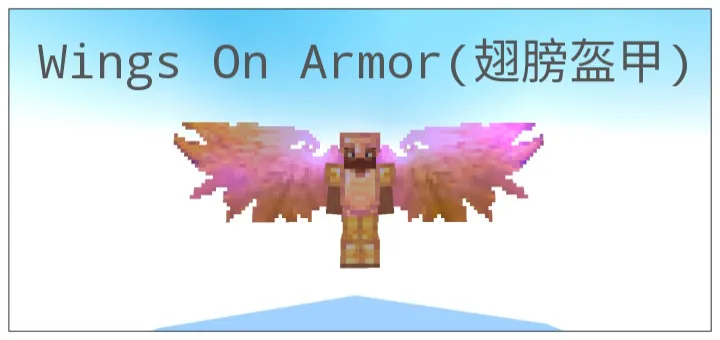
- Because this pack replaces the visual model of all original chestplates, you do not need custom crafting recipes or commands.
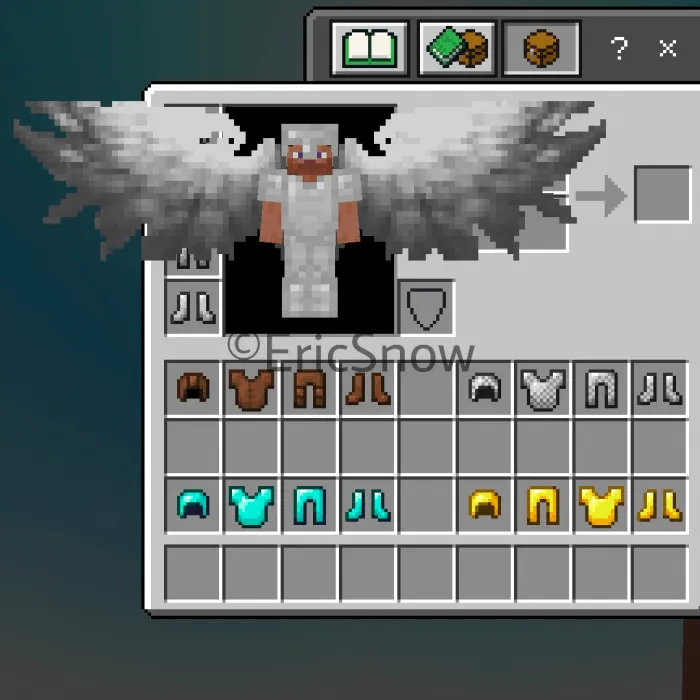
- Craft, find, trade for, or pull any vanilla chestplate (leather, chainmail, iron, gold, or diamond) from the creative inventory.
- Equip the chestplate in your armor slot to make the wings appear on your character.
- Enchant the chestplate at an enchanting table or anvil if you want the enchantment glint to show on the wings.
Controls
- There are no flight controls or special keybinds; the wings are purely visual attached to your chestplate.
- Put on or remove the chestplate in your inventory armor slot to toggle the wings on or off.
Tips
- Enchant your chestplate to highlight the wing textures with the vanilla enchantment glow.
- Mobs and monsters wearing chestplates will display their normal armor without wings, so only players get the winged appearance.
- Try different armor materials to see the distinct color scheme assigned to each chestplate tier.
Compatibility
- This pack only alters armor models and textures, so it does not modify player.json and works alongside most behavior add-ons.
- Do not stack this pack below other texture packs or HD armor packs, as whichever pack is higher in the resource pack list will overwrite the chestplate geometry and textures.
Questions and answers
Do these wings let me fly or glide like an elytra?
No. The pack only changes the 3D model and texture of vanilla chestplates for visual effect.
How do I craft the winged armor?
You do not need a new recipe. Just craft or equip any standard vanilla chestplate and it will automatically have wings.
Will zombies or skeletons have wings when they spawn with armor?
No. The author states that armor on monsters displays normally without wings.
Does enchanting the armor change how the wings look?
Yes. Enchanting any chestplate applies the glowing enchantment sheen across the wing model.
Do I need to turn on Experimental Gameplay?
The description does not require any experimental toggles, as the download is a single resource .mcpack that changes armor models and textures.