What you need
| Loader | 1.21.x | 1.20.x |
|---|---|---|
| Forge | – | 1.20.1 |
| NeoForge | 1.21.1 | – |
| Project kind | Mod |
|---|---|
| Minecraft versions | See the version table above |
| Loaders | Forge, NeoForge |
| Required libraries | None listed |
| Install on | Client and server (install it on both in multiplayer) |
| Difficulty | Intermediate |
| How you get the wings | Crafting |
| Wing kind | Mechanical & tech |
- Requires GregTech Modern (this mod is explicitly described as a GregTech Modern addon).
- Requires Java 17 for Minecraft 1.20.1 (Forge).
- Requires Java 21 for Minecraft 1.21.1 (NeoForge).
- Must be installed on both client and server.
How to install
- Install Minecraft Forge for 1.20.1 or NeoForge for 1.21.1.
- Make sure GregTech Modern is installed in your mods folder, as this project is an addon for it.
- Place the phoenix_tesla_network-0.5.1.jar file into the mods folder on both your client and server.
- Launch the game once to verify that the mod loads properly.
Step-by-step help: How to install Forge · How to install NeoForge · How to install Java mods · How to fix mods not loading.
How to get the wings
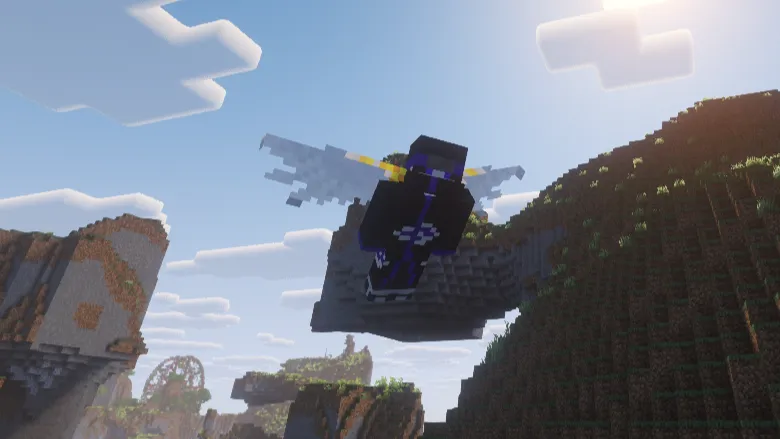
- The wings are part of the PhoenixTech Suite, which is an upgraded version of the QuarkTech Suite.
- The description does not list the exact crafting or machine recipes; check the PhoenixTech Suite items in JEI/EMI/REI (press R on the item for recipes, U for uses).
Controls
- Press Numpad 9 (default keybind) to open and change your PhoenixTech Suite flight settings, including flight speed, drift, and vertical speed.
- Press W (default keybind) to toggle Tesla Mode, which lets the suit draw power directly from your wireless Tesla Network.
Config
- You can adjust flight speed, drift, and vertical speed in-game using the suit settings menu (default keybind: Numpad 9).
Tips
- If your PhoenixTech Suite is powered, it will save your life once every 60 seconds.
- Use the Tesla Binder tool to link a wireless charger or energy hatches to your Tesla Tower multiblock and view connected machines in its UI.
- The Tesla Tower multiblock acts as an EU hub with infinite range across dimensions.
Questions and answers
Which Minecraft versions and loaders are supported?
The mod supports Minecraft 1.20.1 on Forge and 1.21.1 on NeoForge.
Does this mod need to be installed on both the client and the server?
Yes, it is required on both client and server sides.
How do I get the wings in Phoenix Tesla Network?
You need to obtain the PhoenixTech Suite, which is an upgrade to the QuarkTech Suite. Check JEI, EMI, or REI in-game for the specific crafting steps.
How do I change my flight speed or drift?
Press Numpad 9 by default to open the flight settings for the PhoenixTech Suite.
How do I power the PhoenixTech Suite wirelessly?
Set up a Tesla Tower network and press the default keybind W to turn on Tesla Mode, allowing the armor to draw EU directly from your network.