What you need
| Loader | 1.21.x | 1.20.x | 1.19.x | 1.18.x | 1.17.x | 1.16.x |
|---|---|---|---|---|---|---|
| Fabric | 1.21 - 1.21.1 | 1.20 - 1.20.1, 1.20.4 | 1.19 - 1.19.4 | 1.18 - 1.18.2 | 1.17 - 1.17.1 | 1.16.3 - 1.16.5 |
| Forge | – | 1.20.1 | – | – | – | – |
| NeoForge | 1.21 - 1.21.1 | 1.20.1, 1.20.4 | – | – | – | – |
| Quilt | 1.21 - 1.21.1 | 1.20 - 1.20.1, 1.20.4 | 1.19 - 1.19.4 | – | – | – |
| Project kind | Mod |
|---|---|
| Minecraft versions | See the version table above |
| Loaders | Fabric, Forge, NeoForge, Quilt |
| Required libraries |
|
| Optional libraries |
|
| Install on | Client and server (install it on both in multiplayer) |
| Difficulty | Intermediate |
| How you get the wings | Crafting |
| Wing kind | Angel, Demon & bat, Dragon, Fairy & butterfly, Bird & feather, Mechanical & tech, Magic, Elytra |
- This mod is required on both the client and the server.
- Java 8 is required for Minecraft 1.16.3 to 1.16.5.
- Java 16 is required for Minecraft 1.17 to 1.17.1.
- Java 17 is required for Minecraft 1.18 to 1.20.4.
- Java 21 is required for Minecraft 1.21 to 1.21.1.
- Requires an accessory slot provider: Trinkets (Fabric) for the Cape slot, or Curios API (Forge/NeoForge) for the Back slot.
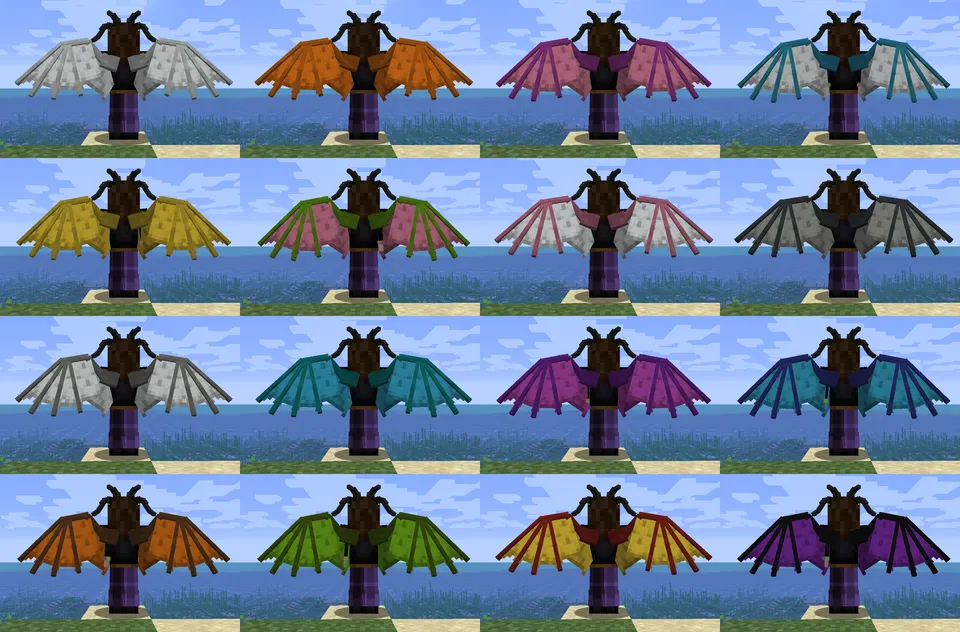
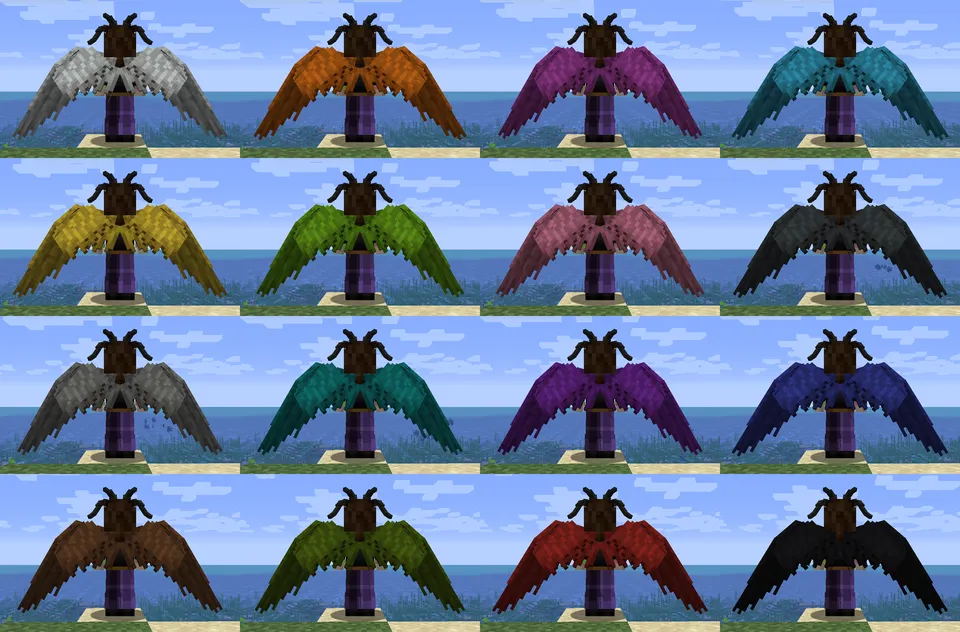
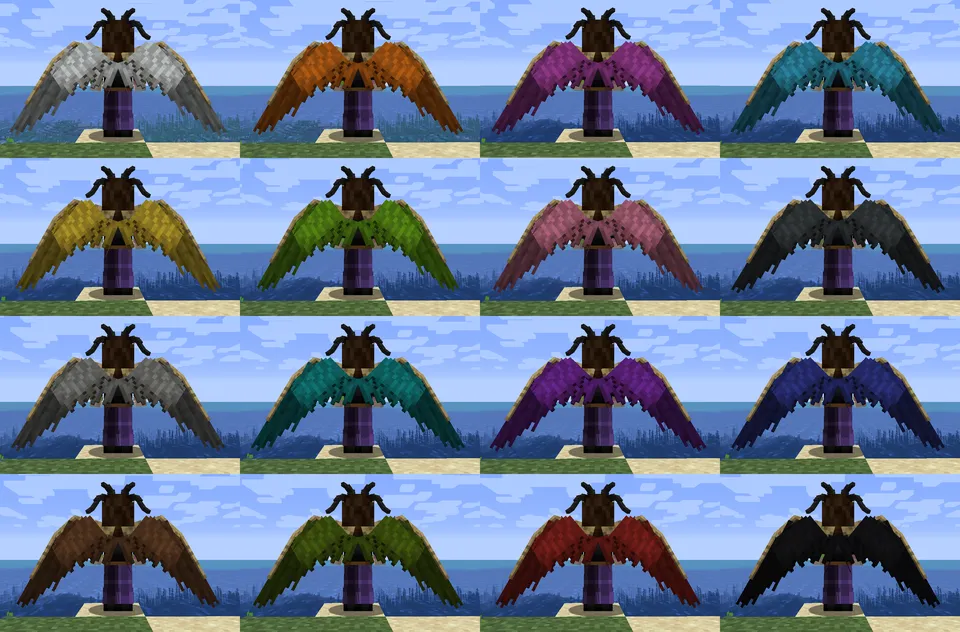
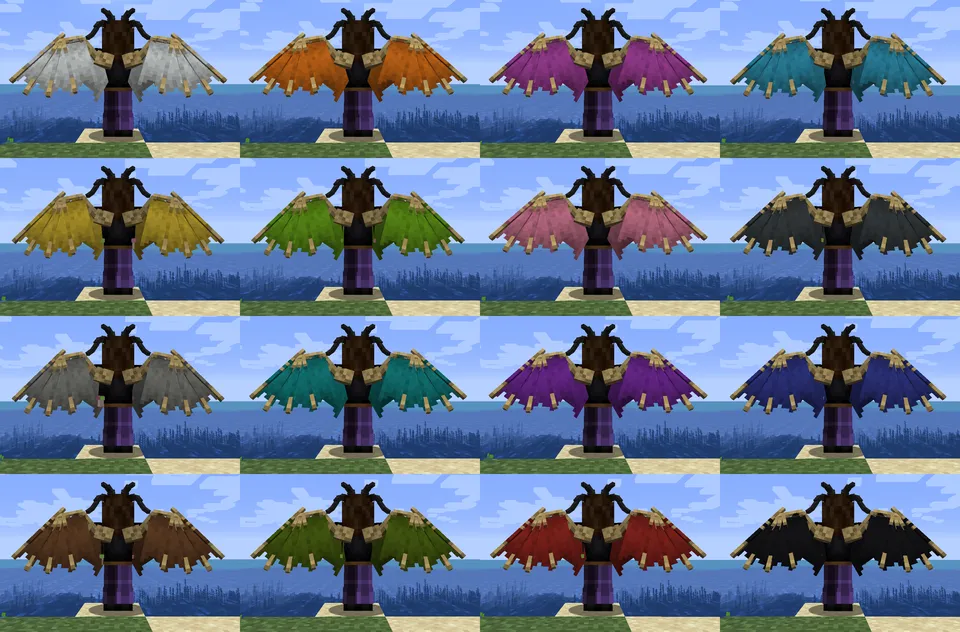
How to install
- Choose a supported mod loader for your Minecraft version: Fabric (1.16.3-1.21.1), Quilt (1.19-1.21.1), Forge (1.20.1), or NeoForge (1.20.1, 1.20.4, 1.21, 1.21.1).
- Install your chosen mod loader on both the client and the server (if playing multiplayer).
- Download the Icarus .jar file matching your Minecraft version and loader, and place it into the mods folder on both client and server.
- Download and place the required library mods for your specific loader and version into the mods folder: Fabric API and Trinkets (Fabric) for Fabric; Quilted Fabric API (QFAPI) / Quilt Standard Libraries (QSL) for Quilt; Curios API (or Curios API Continuation) for Forge/NeoForge; plus the version-specific dependencies from the required list (Caelus API, Cloth Config API, Common Network, MidnightLib, Resourceful Config, Sparkweave Engine).
- Launch Minecraft once to generate configuration files and verify that the mod and its accessory slots load properly.
Step-by-step help: How to install Fabric · How to install Forge · How to install NeoForge · How to install Quilt · How to install Fabric API · How to install Java mods · How to fix mods not loading.
How to get the wings
- The wings are obtained through crafting, though the text description does not list the specific recipes.
- Check the wing items in a recipe viewer such as JEI, EMI, or REI in-game (press R on an item to view its crafting recipe, or U to see its uses).
- Once crafted, equip the wings into the Cape slot (when using Trinkets) or the Back slot (when using Curios).
Config
- Wearing armor reduces your maximum flight speed by up to 2/3 of normal top speed; this penalty is configurable.
- You can use a data pack to add specific wings to an item tag so that those wings do not drain hunger during flight.
Tips
- Keep food with you before flying, as flight drains your hunger bar.
- Wear lighter or less armor if you want to fly at higher speeds, since more armor increases the speed reduction.
Compatibility
- Optional compatibility exists for Camera Overhaul (including Camera Overhaul Reforged and Forge editions), Figura, and Origins.
Questions and answers
Which slot do Icarus wings use?
They go into the Cape slot if you are using Trinkets on Fabric, or the Back slot if you are using Curios on Forge or NeoForge.
Do I need Icarus installed on both client and server?
Yes, the mod is required on both the client and the server.
What are the downsides of flying with these wings?
Flying consumes hunger, and wearing armor slows down your maximum flight speed up to a 2/3 reduction depending on how much armor you wear.
Can I disable the hunger drain on wings?
Yes, you can add wings to a dedicated tag using a data pack to prevent them from consuming hunger while flying.
Which Minecraft versions and loaders are supported?
Fabric supports 1.16.3 through 1.21.1, Quilt supports 1.19 through 1.21.1, Forge supports 1.20.1, and NeoForge supports 1.20.1, 1.20.4, 1.21, and 1.21.1.