What you need
| Loader | 26.3.x | 26.2.x | 26.1.x | 1.21.x | 1.20.x |
|---|---|---|---|---|---|
| Fabric | 26.3 | 26.2 | 26.1 - 26.1.2 | 1.21.1, 1.21.3 - 1.21.5, 1.21.8, 1.21.10 - 1.21.11 | 1.20.1, 1.20.4 |
| Forge | – | – | – | – | 1.20.1, 1.20.4 |
| NeoForge | 26.3 | 26.2 | 26.1 - 26.1.2 | 1.21.1, 1.21.3 - 1.21.5, 1.21.8, 1.21.10 - 1.21.11 | 1.20.4 |
| Project kind | Mod |
|---|---|
| Minecraft versions | See the version table above |
| Loaders | Fabric, Forge, NeoForge |
| Required libraries |
|
| Optional libraries |
|
| Install on | Client and server (install it on both in multiplayer) |
| Difficulty | Intermediate |
| How you get the wings | Crafting |
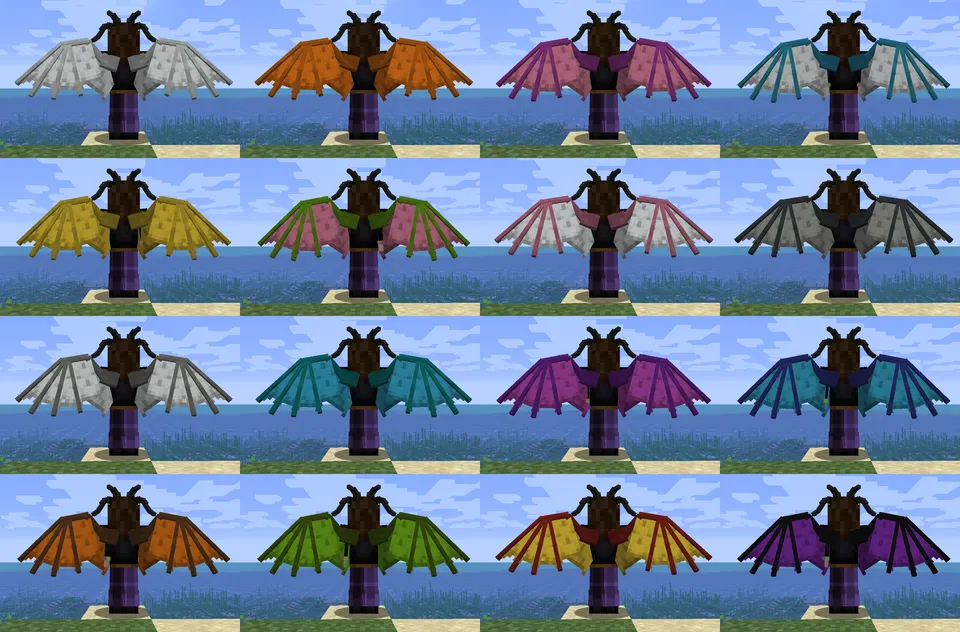
| Wing kind | Angel, Demon & bat, Dragon, Fairy & butterfly, Bird & feather, Magic |
- This mod is required on both the client and the server.
- Puzzles Lib is required on all supported mod loaders.
- Fabric API and Forge Config API Port are required when running on Fabric.
- Minecraft 1.20.1 and 1.20.4 require Java 17.
- Minecraft 1.21.1 through 1.21.11 require Java 21.
- Minecraft 26.1 and newer versions require Java 25.


How to install
- Choose a supported mod loader and Minecraft version: Fabric (1.20.1, 1.20.4, 1.21.1 to 1.21.11, 26.1 to 26.3), Forge (1.20.1, 1.20.4), or NeoForge (1.20.4, 1.21.1 to 1.21.11, 26.1 to 26.3).
- Install the chosen mod loader for your Minecraft version on both your client and server.
- Place the Fantastic Wings .jar file into the mods folder of both your client and server.
- Download and place Puzzles Lib into the mods folder.
- If you use Fabric, also place Fabric API and Forge Config API Port into the mods folder.
- Optionally, add Forge Config Screens or Mod Menu (for Fabric) to edit settings in-game.
- Launch the game once to verify the mod loads and generates any configuration files.
Step-by-step help: How to install Fabric · How to install Forge · How to install NeoForge · How to install Fabric API · How to install Java mods · How to fix mods not loading.
How to get the wings
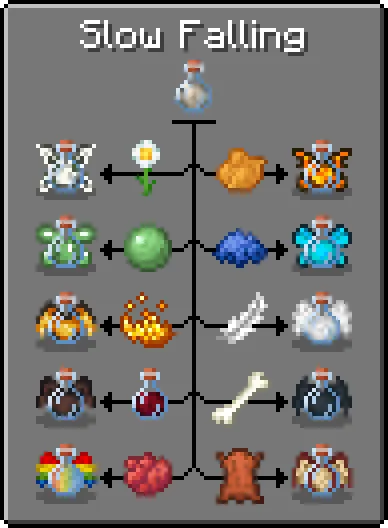
- You grow wings by brewing and consuming special growth potions.
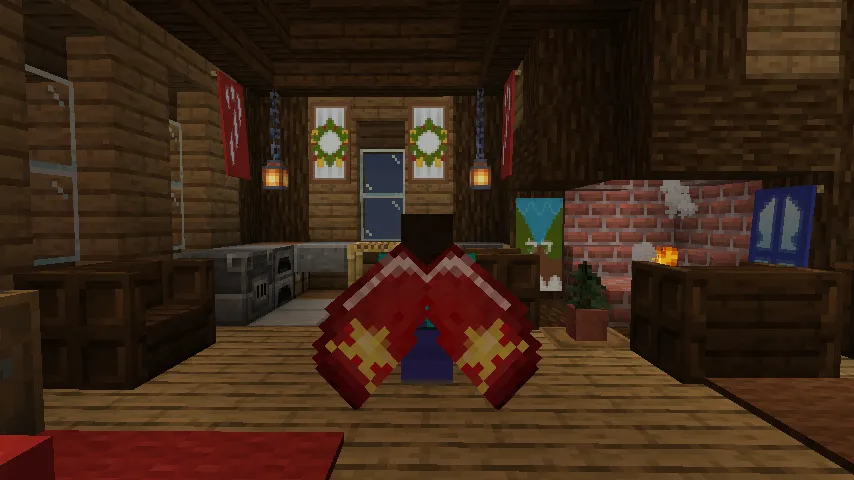
- There are two families of wings available: avian wings and insectoid wings, each offering multiple designs.
- The description does not list specific brewing or crafting ingredients; check the potion items in JEI/EMI/REI (press R on the item for recipes, U for uses).
- To remove your wings, drink bottled bat blood or die in-game.
Controls
- Press your assigned flight key to toggle flight mode on and off.
- Move forward to gain speed while flying.
- Press the jump key to ascend.
- Hold the crouch key to descend or land more quickly.
- Toggle flight off while mid-air to drift down safely without taking fall damage.
Config
- You can adjust settings in-game through the mod menu screen if available (requires Mod Menu on Fabric, or Forge Config Screens).
- For manual edits, open the .minecraft/config folder and edit the MOD_ID-client.toml, MOD_ID-common.toml, or MOD_ID-server.toml files with a text editor.
Tips
- If you stop flying high in the air, you will float down safely instead of crashing into the ground.
- Keep bottled bat blood on hand if you want to remove your current wings without dying.
Questions and answers
Does Fantastic Wings need to be installed on the server?
Yes. The mod must be installed on both the client and the server to work.
Which libraries do I need to run Fantastic Wings?
You always need Puzzles Lib. If you play on Fabric, you must also install Fabric API and Forge Config API Port.
Which Minecraft versions and loaders are supported?
Fabric and NeoForge support Minecraft 1.20.4, 1.21.1 through 1.21.11, and 26.1 through 26.3. Fabric and Forge also support 1.20.1, and Forge supports 1.20.4.
How do I get and remove wings?
You brew and drink special growth potions to grow avian or insectoid wings. To remove them, use bottled bat blood or die.
What happens if I turn off flight while high in the air?
You will drift safely down to the ground instead of falling and taking crash damage.